How to add Parameters both dependent and independent
Independent Parameters-
- An independent parameter is a standalone input that doesn’t rely on other parameters.
- It typically presents a list of values (LOV) for users to select from, such as a list of regions or departments.
- These parameters serve as the primary filters or selectors in reports or processes.
Dependent Parameters-
The following is intended to outline our general product direction. It is intended for information purposes only, and may not be incorporated into any contract. It is not a commitment to deliver any material, code, or functionality, and should not be relied upon in making purchasing decisions. The development, release, timing, and pricing of any features or functionality described for products may change and remains at the sole discretion of PRODUCT OWNER.
- A dependent parameter is linked to an independent parameter and its available values change based on the selection made in the independent parameter.
- For example, if you have a dependent parameter for countries, its LOV would adjust based on the region selected in the independent parameter.
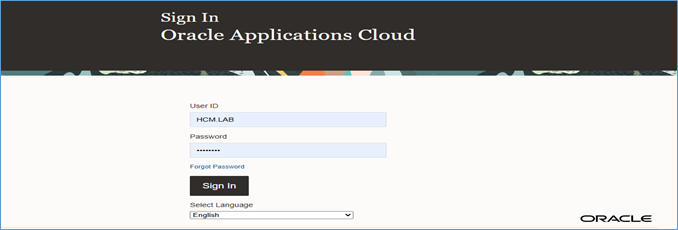
Step 1: Log in to Oracle Fusion Applications & Define the Data Model
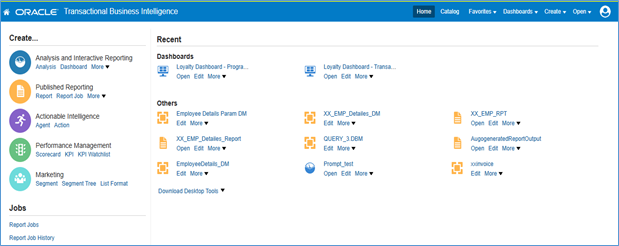
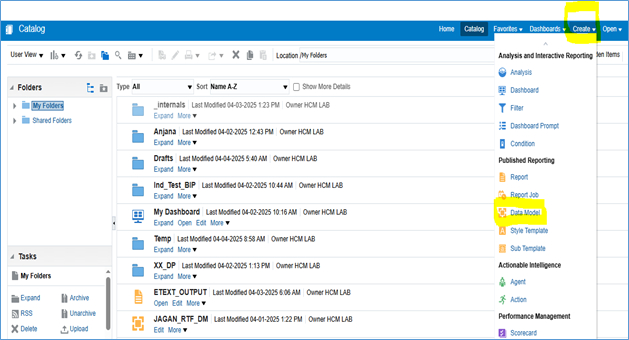
Step 2: To Open the BI Publisher use the POD link/analytics–
OR
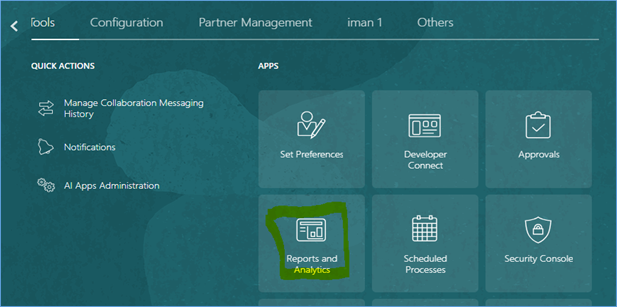
Go to Tools > Report and Analytics
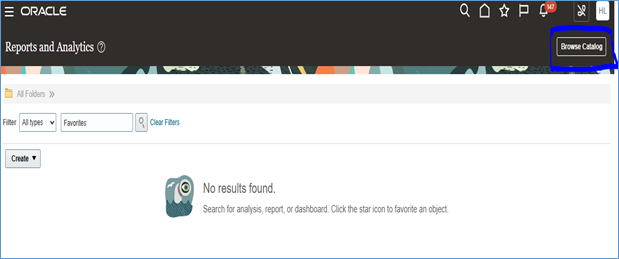
Click on Create Option-Select Data model and click on it.
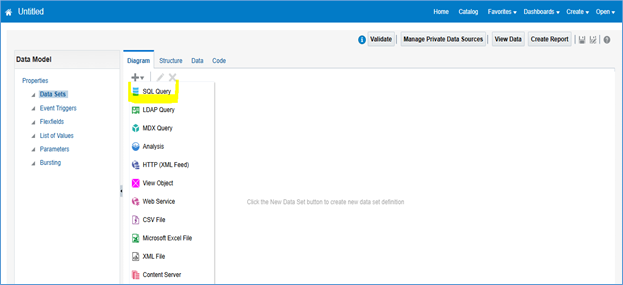
Step 3: Click on Diagram -Select SQL Query Option and Click on it.
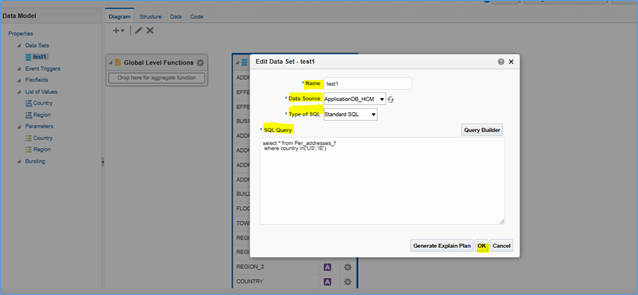
Step 4: Write name –select data source-ApplicationDB_HCM and write a query to get the data which is needed for report under SQL Query Box after that click on OK button.
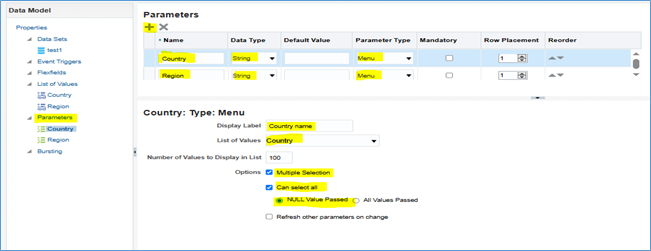
Step 5: Create the parameter in two ways –through query or create parameter option
Create a Parameter-
- Click on the “Parameters”
- Click the plus (+) button to add a new parameter.
- Choose the appropriate Data Type (e.g., Text, Number, Date).
- Select the Parameter Type (e.g., Text, Menu, Date).
For List of Values (LOV) Mapping-
- Enter the Display Label (this is the label users will see).
- Define the List of Values (LOV) — either by writing a SQL query or selecting a predefined LOV.
- Set any additional Options as needed.
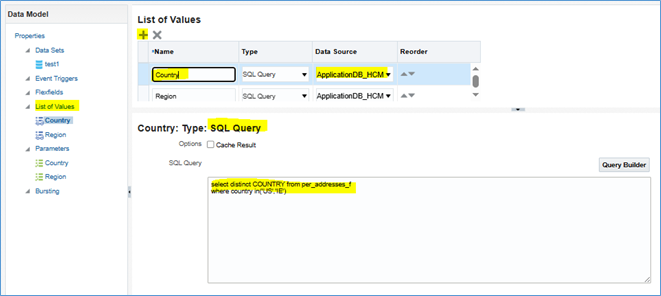
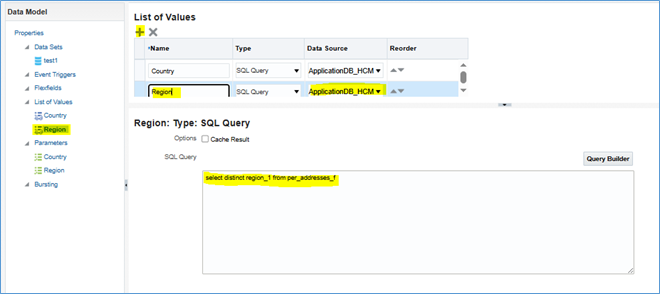
Step 6: Click on list of values –Click on plus (+) button –write the name –select Data Source.
Below middle error expands and write the SQL query to filter the date in list.
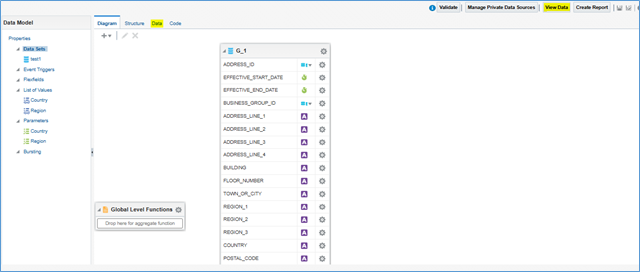
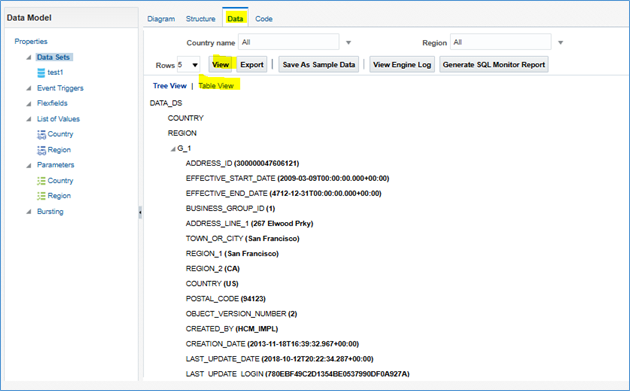
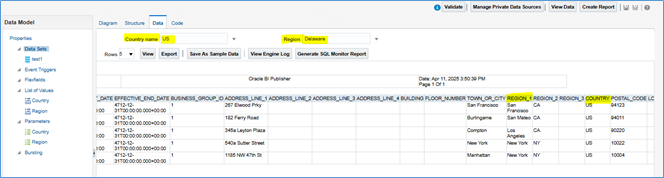
Step 6: Click on data model name and click on view data
Step 7: Click on view and Click on the table view option to see the data in tabular form.
Tabular view of data including two Independent Parameter-Region and Depended Parameter Country