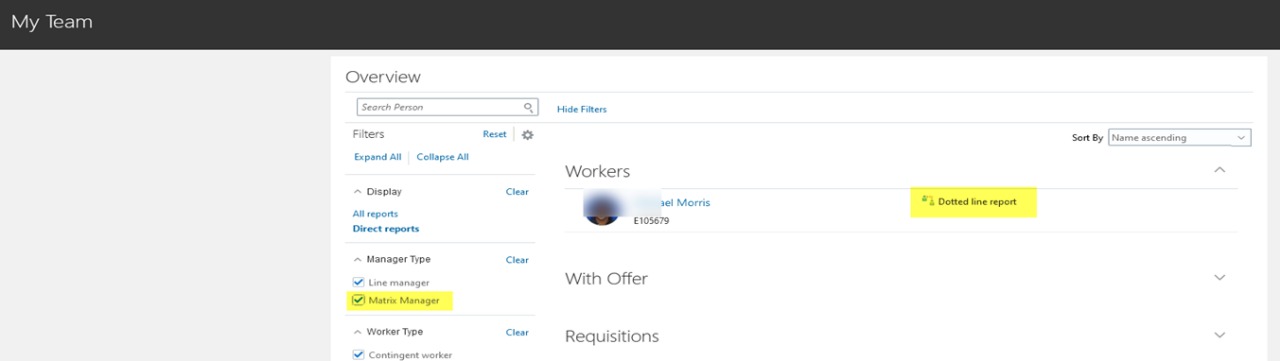
1. What is Matrix Manager in Oracle Cloud

Matrix manager is also known as dotted line manager. A matrix manager or dotted line manager is a manager only but of type other than line manager. Few examples are Project manager, Compensation Manager Etc. Matrix management functionality allows managers other than the worker’s line manager to view and track assignment details in a very much same way as line manager. Matrix manager concept is also extensively used in goal/performance management and compensation management. Here we will discuss general use of any matrix manager. Let’s see how matrix manager is configured in application.

2. How to configure Matrix Manager?

To configure matrix manager search for the task, Manage Common Lookups. And then search the lookup type PER_SUPERVISOR_TYPE
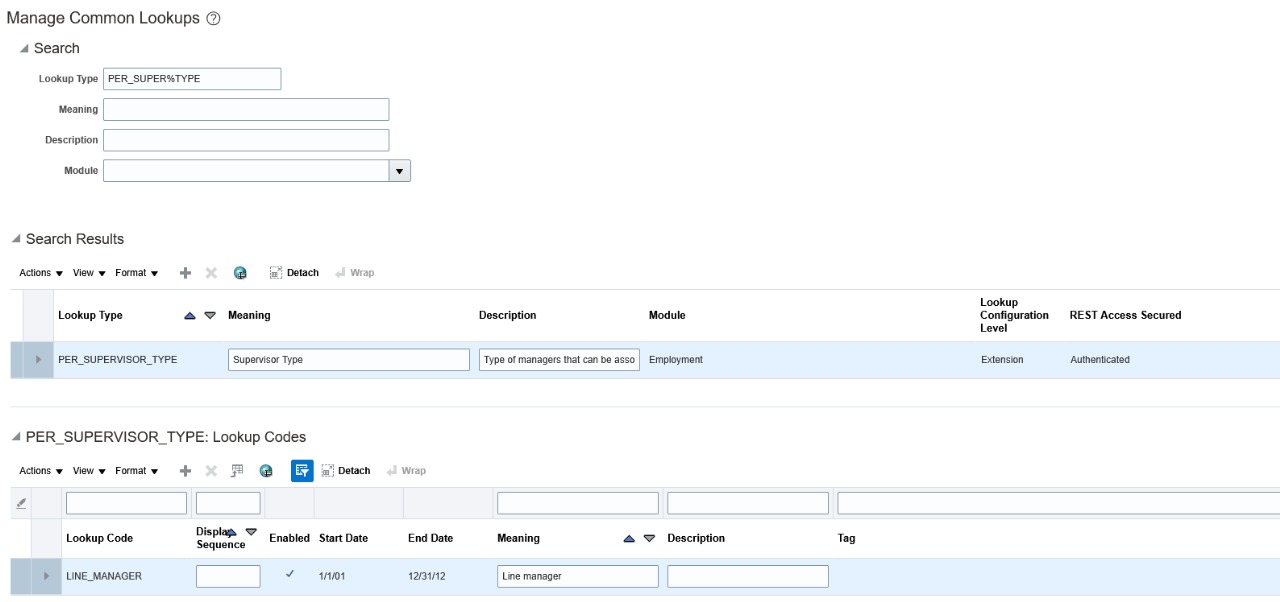
If you have not configured any other matrix manager in your instance, you will see only one entry of Line Manager as shown in the image above.
To add a new matrix manager, click on the + button (New) available beneath section PER_SUPERVISOR_TYPE: Lookup Codes. Enter details as follows

Lookup Code : MATRIX_MANAGER
Enabled : Yes
Meaning : Matric Manager

You can add more than one Matrix managers also, let’s add one more as follows

3. How to assign matrix manager?

To assign a matrix manager to an employee navigate to My Client Group » Person Management » Search for the employee you want to assign matrix manager (Lambert, XYZ) » Click on the person name
You will be on Manage Employment page. Click on Edit button then select Update/Correct button. If you select update you will also have to enter effective start date also.
Once manager assigned to employee, we can run “Refresh Manager Hierarchy” program to get the manager hierarchy in sync.

Leave a Reply

Your email address will not be published. Required fields are marked *

Fill out this field
Fill out this field
Please enter a valid email address.
You need to agree with the terms to proceed

Menu